> For the complete documentation index, see [llms.txt](https://docs.vioso.com/llms.txt). Markdown versions of documentation pages are available by appending `.md` to page URLs; this page is available as [Markdown](https://docs.vioso.com/preparation/camera/other-ip-cameras-ip-cctv-etc.md).
# Other IP-cameras (IP, cctv etc)
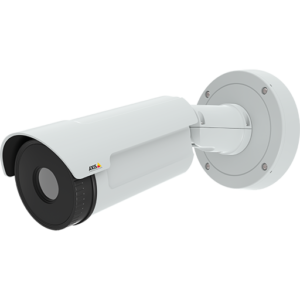 These days, there are a lot of IP-cameras provided with the software that can stream a video using the Directshow framework, which is required for VIOSO Core.
In this case, this type of camera can be used for calibration (For example: AXIS ip-cameras and its AXIS Streaming Assistant).
If there is no such software provided by the camera manufacturer, you can use this converter:
It converts MJPEG stream into Directshow video source in Windows.
If you are going to use this option of IP camera, please consider these important points:
* Few IP cameras were tested for calibration, so we can not guarantee that the camera you have will be fully supported by the VIOSO software. Please run through the tests before making a decision.
* A lot of IP cameras have no fully-manual mode, which is required for the calibration. These cameras only have automatic control of gain, exposure, or focus, which makes them impossible to use for the calibration. Full manual mode is required.
These days, there are a lot of IP-cameras provided with the software that can stream a video using the Directshow framework, which is required for VIOSO Core.
In this case, this type of camera can be used for calibration (For example: AXIS ip-cameras and its AXIS Streaming Assistant).
If there is no such software provided by the camera manufacturer, you can use this converter:
It converts MJPEG stream into Directshow video source in Windows.
If you are going to use this option of IP camera, please consider these important points:
* Few IP cameras were tested for calibration, so we can not guarantee that the camera you have will be fully supported by the VIOSO software. Please run through the tests before making a decision.
* A lot of IP cameras have no fully-manual mode, which is required for the calibration. These cameras only have automatic control of gain, exposure, or focus, which makes them impossible to use for the calibration. Full manual mode is required.