> For the complete documentation index, see [llms.txt](https://docs.vioso.com/llms.txt). Markdown versions of documentation pages are available by appending `.md` to page URLs; this page is available as [Markdown](https://docs.vioso.com/preparation/camera/slr-cameras-via-usb-connection.md).
# SLR Cameras via USB connection
Supported via third-party application "Sparko Cam"
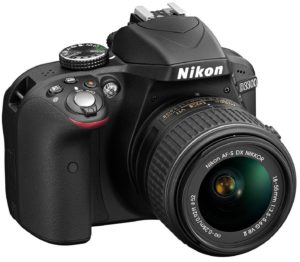 Digital SLR cameras made by Nikon or Canon can be used for calibration, connected with a USB cable.
For this purpose, the camera has to operate in the *web-camera mode*.
While some cameras have this mode in their firmware, most cameras do not , so a different third-party software can be used for this conversion:
* \
Commercial solution
* \
Free of charge, but seems complicated and not capable of delivering the full resolution.
{% hint style="info" %}
**Please note:** Since there are so many types, brands, and models of cameras, as well as a lot of third-party software converters, we can’t test them all. As a result, we can not guarantee that your camera will work for the calibration process. Please perform some tests beforehand.
{% endhint %}
Digital SLR cameras made by Nikon or Canon can be used for calibration, connected with a USB cable.
For this purpose, the camera has to operate in the *web-camera mode*.
While some cameras have this mode in their firmware, most cameras do not , so a different third-party software can be used for this conversion:
* \
Commercial solution
* \
Free of charge, but seems complicated and not capable of delivering the full resolution.
{% hint style="info" %}
**Please note:** Since there are so many types, brands, and models of cameras, as well as a lot of third-party software converters, we can’t test them all. As a result, we can not guarantee that your camera will work for the calibration process. Please perform some tests beforehand.
{% endhint %}